
Monday’s shoe can be two different files.
One lives on an orange set, with light that sells the landing page. That is /image. The brief is a picture people can want.
The other has to drop onto a poster, a carousel, a lookbook, a pack. No set dressing. No story. A thing you can still place. That is /asset.
They look like the same object. They fail in different rooms. If you hand a styled hero to a designer who needed a cutout, they will spend the afternoon erasing your beautiful set. If you hand a cutout to a landing page, the page will look like a catalog export.
/asset is the right ask when the job is one raster primitive, not a scene, not a mark, not a sheet.
A hero is a place
The landing still needs air. A sculptural set. Materials that look like the real shoe. No logo, because the brand is not approved. That story is already When to use /image instead of /images.
Design an unbranded teal running shoe hero image on a warm orange sculptural set with accurate materials, crisp studio light, and no readable text or logos.
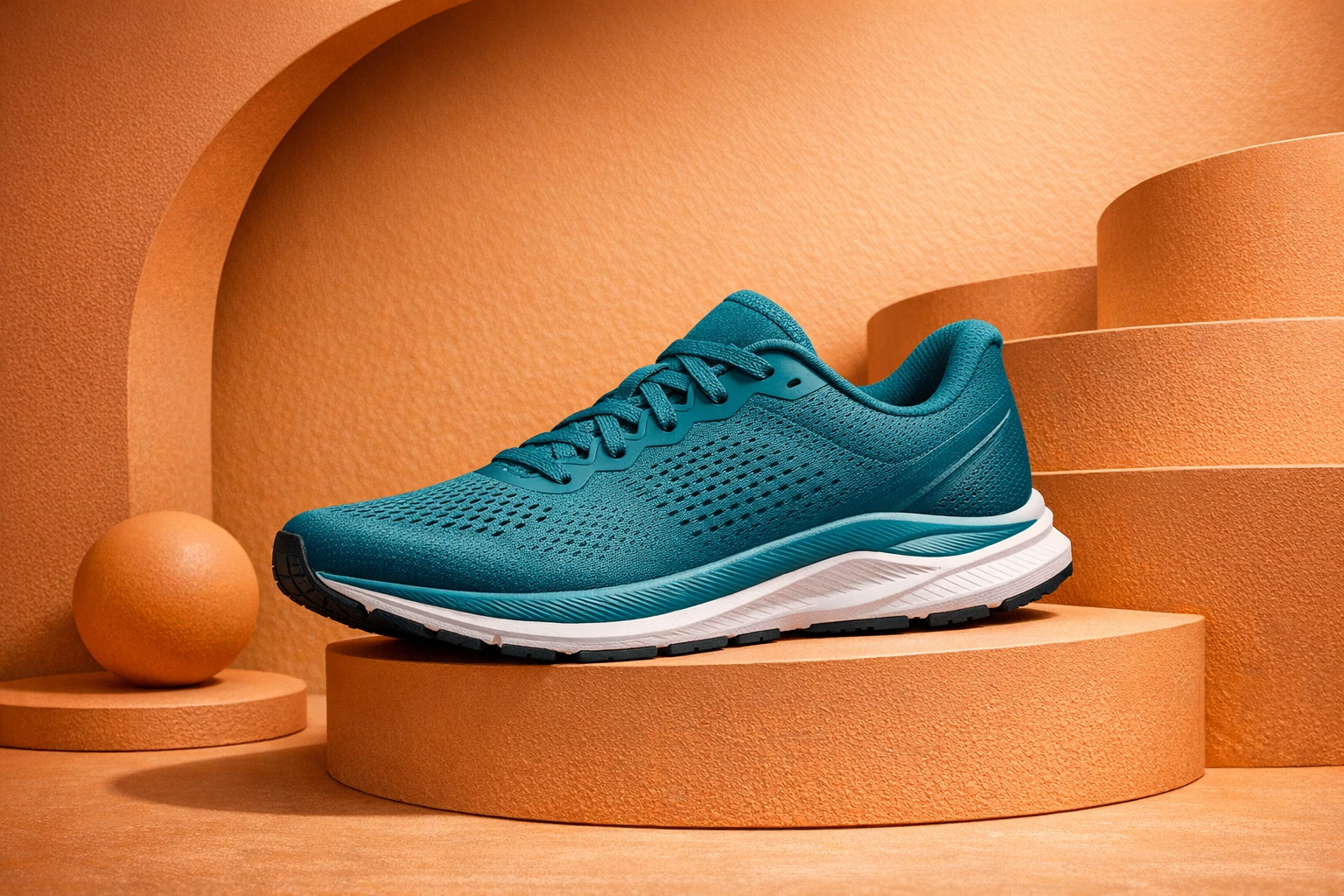
Keep this file in the Image Editor. Do not typeset on it. Do not crop it into a logo.
An asset is a thing you will reuse
The same shoe, asked as an asset, drops the theater.
Design a single unbranded teal running shoe as a cutout asset on a clean cream field, accurate materials, no set dressing, no readable text or logos.
Clean field. Honest materials. Nothing behind it that you will have to fight later. This is the file you place. It is not the campaign.
A dish can be an asset too — the bowl, no table story — if the menu layout is waiting. A chair. A bottle. A tool. One object, one file, later work will host it.
/asset can also be the primitive that does not have a more specific command: a mixed still you will keep using, not a poster and not a mark. If a more specific command exists, use that one. A poster is /poster. A logo is /logo. A banner is /banner. Do not hide those jobs inside /asset because the word “asset” sounds professional.
What /asset is not
It is not /images. A set of matching frames is a world. Ask for the world.
It is not /logo. A wrench-and-leaf mark is identity. That split is /vector vs /icon vs /logo.
It is not /carousel. Slides need native copy. Rasters do not keep captions.
It is not /video. If the shoe has to move, accept the still, then ask /video with @out:. That is How to ask for video without getting a still.
It is not a layout. The moment you need type, artboards, and export packages, you are in the Design Editor. Place the asset. Do not regenerate it as a poster unless the job changed.
Ask which file people will open twice
The useful question is not “is this a picture.” Almost everything is a picture. The useful question is which file gets opened twice.
If people will open the landing, you wanted /image.
If people will place the object on three other files, you wanted /asset.
If people will rewrite a headline on top of it, you wanted a reserved field and a design command.
If people will swipe, you wanted /carousel.
Write the request so the next person can run it. Name the object. Ban the set dressing if the set is not the job. Ban the letters if the name is not approved.
The rest of the language is in What AskGL is. The week this sits inside is the command list.
Then open Ask and name the primitive. One object. One file. The campaign can come later, and attach this one with @out:.
Frequently asked questions
Is /asset just /image with a different name?
No. /image is one picture, often a hero on a set. /asset is one raster primitive you will drop onto other work — a cutout, a packshot, a thing without a campaign around it.
Should I use /asset for a logo?
No. A mark is /logo. An icon is /icon. An asset is not an identity.
Where does /asset finish?
In the Image Editor. Correct the pixels. Then place the file on a poster, a carousel, or a page. Do not ask /asset to become the layout.

